Blog September 1, 2026
What to post on LinkedIn as a founder
I left Twitter when it became X, and I only recently went back for the launch of my app. Standing there now feels like arriving late to a party where everyone already knows each other: a global marketplace of builders trading inside jokes I was not there for. Meanwhile my LinkedIn, where I have posted for years, is full of people who actually know me.
Every piece of indie advice says the opposite: build in public on X, LinkedIn is for recruiters. I think that advice quietly assumes you have an X audience already. If your years of work and relationships live on LinkedIn, that is not a consolation prize. That is distribution you already own. Here is what to post there, as someone who builds first and markets second.
Post where people know you
The two platforms are different rooms, and the difference is not the dress code. X is a global stage: fast, ironic, and cold if you arrive without a following, because reach there has to be earned from strangers. LinkedIn, for most working professionals, is the local square: former colleagues, clients, people you shipped things with. When I post there, people respond because they know me, and that is not vanity mechanics. Familiarity is what makes a first comment appear, and a first comment is what makes the silent majority stop scrolling.
Two more differences shape what you write. The half-life: an X post is gone by lunch, a LinkedIn post keeps collecting readers for days, so slower and more finished beats fast and clever. And the silent audience: the ratio of readers to reactors is enormous. The colleague who never likes anything saw your post. Write for that person, not for the applause.
The five posts that translate
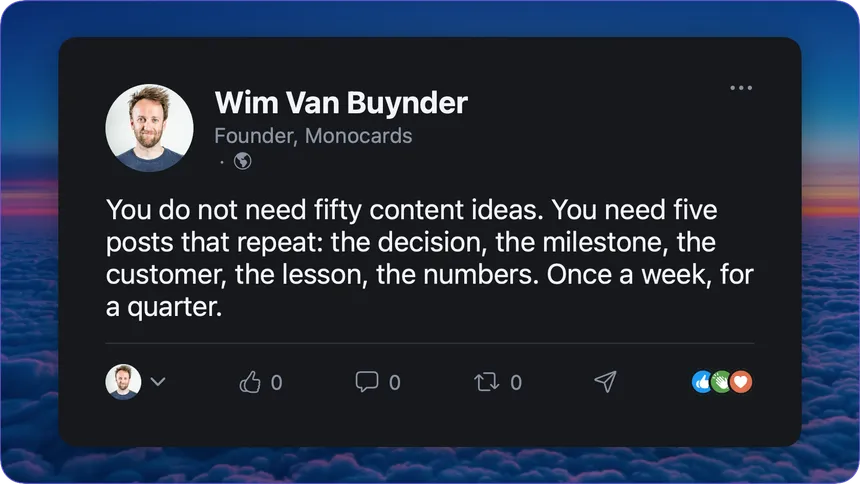
Search this topic and you get lists of thirty or fifty “content ideas”, which is exactly the problem: nobody has fifty things worth saying. As a founder you have about five, and they repeat, and that is fine.
The decision post. Why you did the thing, not that you did it. “We removed our free tier, here is what the numbers said” is a decision post. It shows judgment, and judgment is what a professional audience is actually evaluating. My most honest material has always come from decisions that could have gone either way.
The milestone with context. A number alone is bragging. A number plus what it took is a story: how long it took, what almost killed it, what you would do differently. The context is the part people remember, the same principle I wrote about in 8 things to post as a developer.
The customer story. Someone used the thing and something got better. Ask permission, keep their words, and resist the urge to polish it into a case study. One specific sentence from a real person outperforms a page of your own claims.
The lesson that cost you something. The migration that went wrong, the launch that flopped, the feature nobody used. Written plainly, without the redemption-arc theatrics. Vulnerability is currency on LinkedIn, but only the unperformed kind.
The week in numbers. An honest, recurring update: what shipped, what moved, what stalled. Recurring is the point, the format does the remembering for your audience, and the delta between weeks becomes the story.
What to skip
The engagement bait (“Agree?”), the hustle theater, the screenshot of your own X post, and any story where you are the hero within three sentences. The silent readers see through all of it, and unlike on X, they do not forget. Also skip the pressure to post daily. A founder posting five mediocre updates a week reads as someone who has stopped building.
Make it look native, without a designer
One practical thing the platform itself will teach you fast: posts with a visual travel further, and visuals that look native to a professional feed travel furthest. A blurry phone screenshot undercuts a good decision post. A sharp chart of the numbers you are discussing makes the same post feel like a briefing.
This is where the design wall usually stops people, and it is the wall I built Monocards against: the Chart card turns the week’s numbers into the visual, a Milestone card carries the moment, a quote card makes the customer story shareable, all in one saved look, so your posts become recognizable before anyone reads your name. The app is optional here, as always. The principle is not: one consistent visual language, native to the feed, every time. The your own marketing page shows what that looks like across a week of posts.
A cadence you can keep
My honest advice is one good post a week, plus ten minutes of real comments on other people’s posts. Comments are underrated: they put your name in front of the same audience with a tenth of the effort, and they teach you the room’s tone before you write for it.
One post a week also fits inside a schedule you already have. If you run anything like my one hour a week plan, the LinkedIn post is not extra work, it is the same weekly material, translated for the slower room: the decision, the milestone, the lesson, with the chart attached.
And give it a quarter before you judge the numbers. With an existing network the first reactions come quickly, that is the home-field advantage, but the readers who matter commercially are the silent ones, and they introduce themselves later, usually in a sentence that starts with “I’ve been following what you’re building”.
The takeaway
You do not need fifty content ideas, and you do not need to earn a cold audience on someone else’s stage first. Start where you are already known. Five posts that repeat, decision, milestone, customer, lesson, numbers, written for the silent reader, with a visual that looks like you meant it, once a week, for a quarter. That is a plan you can keep next to shipping, and keeping it is the entire game.