Blog August 24, 2026
8 things to post as a developer (and the card for each)
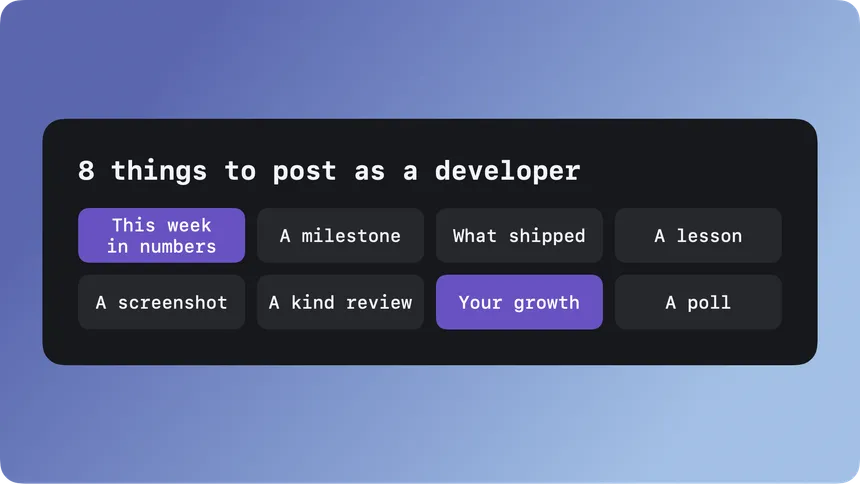
The hardest part of posting about your work is not writing it. It is deciding what to post. You open the app, stare at the empty box, decide nothing you did this week is interesting enough, and close it again. The build keeps moving and the feed stays empty.
The fix is to stop deciding. Keep a short list of formats and rotate through them. The content changes every week, the shape stays the same, and “what do I post” stops being a question you answer from scratch. The formats matter more than any single post, an idea I dug into in Building is fun. Marketing is hard. Here are eight that work for developers building in public, each tied to the card that turns it into something worth looking at.
1. This week in numbers
Once a week, post the numbers that moved: new users, revenue, visitors, whatever you track. It does not need to be big. “47 signups this week, up from 31” is a post. Numbers are honest, and week after week they add up to a story. Make it the Stats card.
2. A milestone worth celebrating
A thousand users. First paying customer. First hundred dollars. Say it out loud. Milestones are the posts people root for and share, and they mark the timeline of your build so anyone can see how far it has come. Make it the Milestone card.
3. What you shipped
Every release, however small, is a post. “Shipped dark mode and fixed the export bug.” It shows momentum and reminds people the thing is alive and getting better, which is most of why anyone follows a build at all. Make it the Release Notes card.
4. A lesson or a snippet
The bug that ate your Saturday. The trick you wish you had known a year ago. A short piece of code with the one line that mattered. Process is more relatable than announcements, and other developers actually save this kind of post. Make it the Code card.
5. A screenshot of the work
Show the thing. A new screen, a before and after, a detail you are quietly proud of. A screenshot in a device frame reads as a product instead of a work in progress. Make it the Device Mockup card.
6. A kind word from a user
A nice review, a supportive message, a post from someone who clearly gets it. Proof from real people does more than anything you can say about yourself. Quote it, credit them, and put it out there. Make it the Text card.
7. Your growth over time
Once you have a few weeks of numbers, chart them. A line going up and to the right is the single most motivating thing you can post, for the people watching and for you. Make it the Chart card.
8. A question for your audience
Stuck between two names, two features, two directions? Ask. Polls pull people in, give you real input, and make everyone who votes feel part of the build. Make it the Poll card.
How to actually keep it up
Eight is a menu, not a checklist. Pick two or three you can do without thinking, and rotate. Ship notes on Friday, numbers on Monday, and reach for the rest when something happens. The goal is a rhythm you do not have to reinvent every week, not a second full-time job.
Design it once
There is one trap left. If every post means opening Figma and making thirty small design decisions, the habit dies by week three. So decide once what your posts look like, then reuse it. That is the whole idea behind Monocards: each of the eight formats above is a card type. You lock in your look one time, and after that, filling in this week’s numbers or this release’s notes is a two minute job, with every card coming out on-brand. If you build with an agent, it can fill in your templates for you through a local MCP server, on your Mac. Either way, the point is the same: make the design decision once, so posting stays cheap enough to keep doing.